
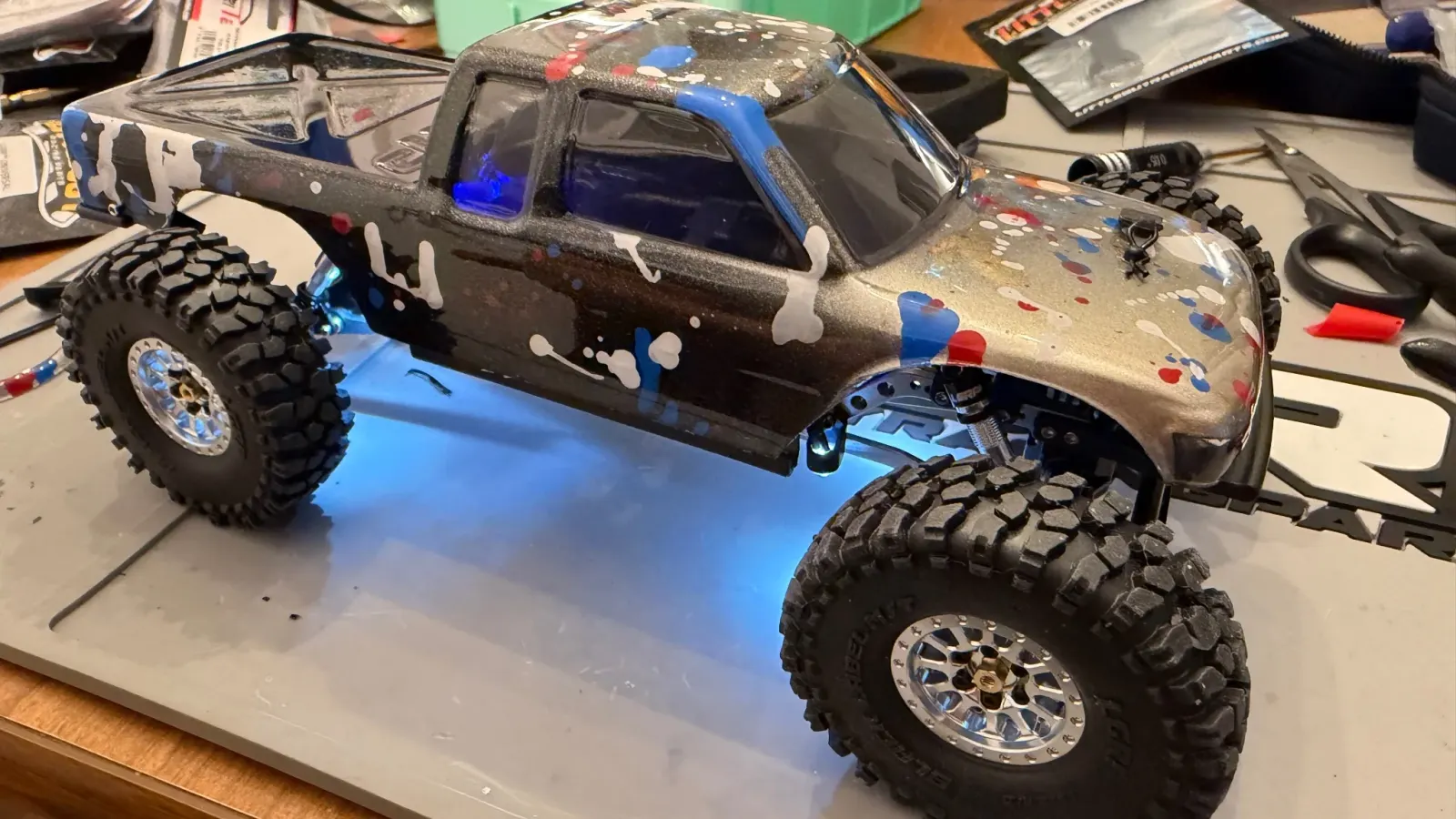
Lights are the single biggest “this looks real now” upgrade you can put on a 1/24 crawler. They cost less than tires, take an afternoon to install, and they change the entire feel of the rig. I wire lights on every scale build before I call it done. Here's how.
Why install lights
- Scale realism. A Jeep Wrangler body without working headlights looks like a toy. Lit up, it looks like a model.
- Trail visibility. Functional brake lights and reverse lights help you see what the truck is doing from a distance.
- Photo opportunities. Lit-up scale builds at dusk or night are some of the most fun photos to take.
- Cheap upgrade. Kits start at $15 and go up to $50 for premium options.
What you need
Most modern LED kits ship pre-wired with JST plugs on every LED, so you can just plug the LEDs into the controller and route wires. Soldering is optional unless you're extending wire lengths or adapting between connector types.
- LED light kit. INJORA, Yeah Racing, RCAWD, and Powerhobby all sell pre-wired kits sized for SCX24 bodies. $15 to $40.
- Thin double-sided tape or hobby-grade Velcro to mount the controller.
- Small drill bit (1 to 2mm) if you need to drill light openings in the body.
- Hot glue or epoxy to secure LEDs in body lenses.
- Soldering iron, solder, and heat shrink only if you bought a bare-wire kit or want to customize the wiring.
Pick the kit
- INJORA SCX24 LED light kit. $15 to $20. Headlights, taillights, brake lights. Pre-wired with a small controller board. The mainstream budget pick.
- Yeah Racing SCX24 LED kit. $25 to $35. Same scope, slightly better wiring quality.
- Powerhobby SCX24 LED kit. $30 to $40. Includes turn signals and reverse lights. More controller modes.
- 3D-printed light bar kits. Etsy and Printables have dozens. Useful if your kit doesn't include light pods or roof bars.
Pick by body. Some kits target specific SCX24 bodies (JLU, Bronco, C10) and pre-cut wire lengths to suit. Generic kits work but require more wire routing.
1. Connect the controller
Most LED kits use a small controller board that plugs into the ESC. Two options depending on your kit:
- Plug into the LED outputs on your 2-in-1 board. Stock SCX24 boards have brake light and reverse light outputs. The kit's wiring usually matches.
- Plug into a free RX channel. If your kit needs always-on power or programmable modes, it might use a free receiver channel. Requires a 4-channel receiver.
Confirm polarity before powering up. LEDs are polarity-sensitive. Reversed wiring burns the LED instantly.
2. Plan the wire routing
Before you mount anything, lay the LEDs and wires loosely in place and check:
- Wires don't cross the steering travel zone.
- Wires don't pinch under the body posts when you snap the body on.
- Wires have enough slack for the body to come off without disconnecting.
- The controller has somewhere to live (usually on top of the chassis behind the ESC).
Take a photo of the layout before you commit. Saves second-guessing later.
3. Mount the LEDs in the body
For headlights and taillights, you have a few options:
- Pre-drilled body. Some scale bodies (RC4WD, Pro-Line) ship with pre-drilled light pockets. Drop the LED in, secure with hot glue.
- Drill your own. Mark the center of the headlight, drill carefully with a small bit, work up to the LED's diameter. Test fit before you commit.
- Glue to the back of the body. If the headlight area is clear plastic with paint behind it, you can mount the LED on the back side. The paint may need to be scraped off to let light through.
- 3D-printed bezels. Many kits include or sell separately small printed rings that hold the LED in place. Cleanest install.
Hot glue works for most LED mounting. Epoxy is more permanent. Don't over-glue; you may need to replace an LED someday.
4. Route the wires through the body
Most SCX24 bodies have a small gap between the body shell and the body posts for wires to pass through. Run the LED leads down to where the controller will sit on the chassis. Leave 20 to 30mm of slack so the body can be removed without unplugging.
5. Connect to the controller
Most kits use color-coded JST plugs. Match the colors and plug them in. If your kit is bare-wire, solder according to the controller's pinout. Common pinouts:
- Headlights: always-on white LEDs at the front.
- Brake lights: activated when the ESC pulses the brake output.
- Reverse lights: white LEDs at the rear activated in reverse.
- Turn signals: if included, usually tied to a separate channel.
- Light bar / roof rack: often a separate always-on circuit.
6. Test on the bench
Battery in, body off. Check each light:
- Headlights come on with the truck powered.
- Brake lights flash when you brake.
- Reverse lights come on in reverse.
- No LEDs are dim, flickering, or off. Dim usually means wrong polarity or insufficient current.
- Controller doesn't get hot. Hot means short circuit or too much load.
7. Reinstall the body
Snap the body on, careful not to pinch any wires. Confirm everything still works. Confirm body lights up at night by killing the room lights. Looks great.
Common gotchas
- BEC overload. Multiple LEDs plus a big servo plus a brushless ESC can overload the stock BEC. Symptom: receiver brown-out under load. Fix: aftermarket ESC with a beefier BEC.
- Wrong polarity on a single LED. Burns it instantly. Confirm with a multimeter before connecting.
- Hot glue obscuring the LED. Use the smallest amount possible. Too much makes the headlight look smeared.
- Wires pinched on body removal. The wires snap. Plan slack into your routing.
For comp builds I skip light kits entirely (added weight, scratched body risk, BEC draw). For everything else, it's one of the upgrades that punches above its weight in how the truck feels.