
A brushless install on a modern SCX24 is mostly plug-and-play. The big aftermarket combos (Furitek, INJORA MBL32, Hobbywing) ship with pre-installed connectors on every wire. Motors plug into the ESC. Battery plugs into the ESC. Servo plugs into the 2-in-1. If you can route wires cleanly and follow a programming app, you can do this in an evening.
Soldering is only required in a few edge cases (you're swapping battery connectors, or you bought a bare-wire motor and ESC separately). For those cases, having a soldering iron handy is useful, but most builders never touch one for a brushless swap.
This assumes you've picked your motor and ESC. If not, start with the best motors and ESC buying guide. Background on brushless vs. brushed is in the brushed vs. brushless explainer.
Tools you'll need
- Hex drivers: 1.3mm, 1.5mm, 2.0mm. Fine Phillips or JIS for some screws.
- Blue threadlocker (Loctite 243). Every motor mount screw and pinion grub screw. Never red on M2/M2.5.
- Multimeter for continuity checks before first power-up.
- Programming method for your specific ESC. Bluetooth phone (Furitek Furicar app) or Hobbywing LED card.
- Soldering iron (60 to 80W) only if you're swapping connectors. Most builds don't need this.
- Heat shrink assortment if you do touch any wiring.
Confirm three things before you start
- Pinion pitch matches the spur. Stock SCX24 spur is 48P / 0.5 Mod. Many Furitek conversions move you to 0.5 Mod / 12T pinion. Confirm they match. Mismatched pitch strips the spur in minutes.
- Battery connector matches. Stock SCX24 packs are JST-PH 2.0. Some aftermarket combos ship with XT30 or Deans Micro. Either pick a battery with the matching plug or use an adapter cable (no soldering needed).
- Receiver path is sorted. If you're on a post-2021 truck (Bronco V2, Gladiator, late JLU), the 2-in-1 has no channel-2 bypass, so a standalone ESC needs a new receiver. See the ESC/RX combo explainer.
1. Remove the body and old electronics
Unscrew the body, lift it off, set it aside. Disconnect the battery. Take photos of the current wire routing.
Unbolt the stock motor from the transmission case. Unplug the motor leads from the 2-in-1 (most current SCX24s use a 2-pin connector here; older trucks have soldered leads, in which case desolder them or replace the whole 2-in-1 with an aftermarket board). Unscrew the stock 2-in-1 from the chassis tray.
2. Install the new motor
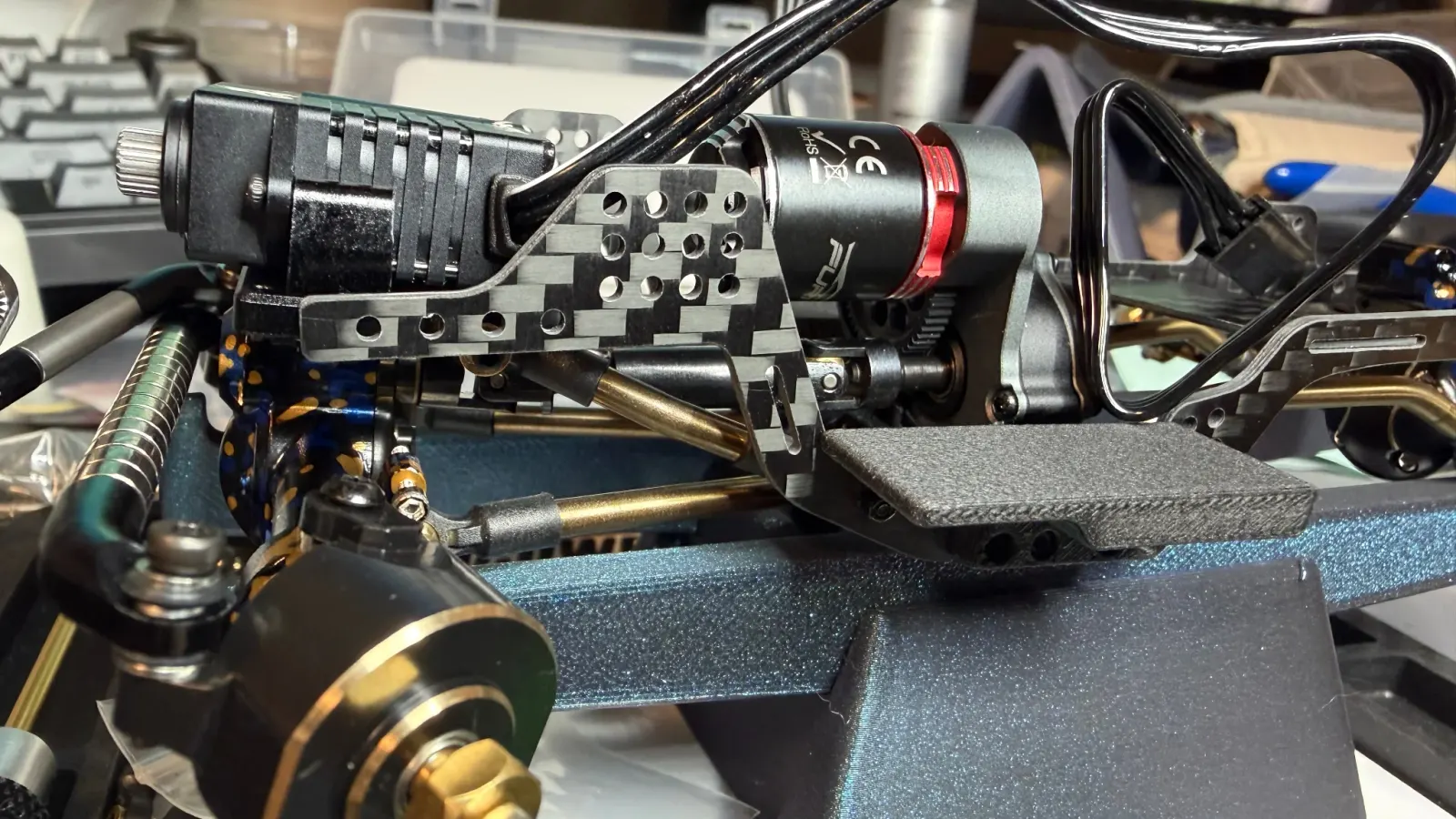
Most brushless combos for SCX24 use a 050-size motor that needs a new motor mount. Mount the motor to the new bracket per the combo's instructions. Blue threadlock on every screw. Slide the pinion on, leave it loose for now.
Bolt the motor + mount assembly to the transmission case. Set pinion mesh by sliding a strip of paper between the pinion and spur, then tightening the mount screws. Pull the paper out and confirm a tiny amount of backlash by feel. Too tight binds and overheats; too loose strips teeth. Tighten the pinion grub screw on the flat of the motor shaft with blue threadlock.
3. Mount the new ESC
Most brushless ESCs for SCX24 are small enough to live in the original 2-in-1 position. Some need to mount on the chassis rail or up under the body. Use the included mounting tape or double-sided foam tape. Leave the ESC where it can shed heat (not buried under wire bundles).
4. Connect motor to ESC
Pre-built combos (Furitek Stinger, INJORA MBL32 + Viper, Hobbywing brushless combos) all have matching connectors on the motor and ESC. Plug them in. With sensorless brushless, if the motor spins the wrong direction at first power-up, swap any two phase wires (just unplug and re-plug into different pins).
For sensored motors, the Hall sensor ribbon cable also plugs into a dedicated port on the ESC. Keyed connector, only goes one way.
If your motor or ESC came bare-wire (rare on SCX24-class combos), this is where you'd solder phase wires. 60 to 80W iron, flux the motor tabs, three seconds per joint. Heat shrink each phase. Then a larger piece over the bundle.
5. Wire the battery side
Most combos ship pre-pigtailed with a matching battery plug (often XT30 or JST-PH 2.0). Plug it in. If the ESC ships with bare wires on the input side, you have two options: solder on your battery connector (red to +, black to ground, triple check polarity), or use an adapter cable to skip the soldering entirely.
Polarity reversed at the battery plug equals instant magic smoke. Measure with a multimeter before first power-up if you did any wiring yourself.
6. Connect the receiver
If your combo is a 2-in-1 (Furitek Lizard, INJORA MBL32) the receiver is on the same board. Bind it to your transmitter per the included instructions.
If your ESC is standalone, plug its signal lead into channel 2 of your receiver (or whichever channel the receiver doc designates for throttle). The servo goes into channel 1. Both connections are 3-pin servo plugs. No soldering.
7. First power-up
Truck off the ground, wheels free. Plug the battery in. Most brushless ESCs do an arming beep sequence. Wait for it to finish before touching the throttle.
Check, in order:
- Throttle moves the wheels forward when you push forward.
- Reverse works.
- Steering responds correctly.
- Nothing is getting hot to the touch after 30 seconds at idle.
If wheels spin the wrong direction, swap any two phase wires. If steering is reversed, flip the channel direction on your transmitter.
8. Program endpoints and drag brake
Connect your phone (Furitek) or program card (Hobbywing). Set:
- Drag brake: 30 to 60% for crawling. Higher = the truck holds position on slopes.
- Throttle curve: exponential for crawling. Gives finer control off idle.
- Punch / acceleration: soft. Hard punch strips drivetrains.
- LVC: set to your battery's S-count. 2S means 6.0 to 6.4V cutoff.
9. Bench-test under load
With the truck still off the ground, throttle to about half. Listen for the motor. Touch the ESC, the motor can, and the wires after 60 seconds. Warm is fine. Hot to the touch means a setting is off or wiring is undersized.
10. Reinstall the body and drive carefully the first time
Body back on. Drive on flat ground for the first session. Brushless feels different; give yourself time to adapt to the punch and drag brake before you point it at a ledge.
Common things that go wrong
- Wrong pinion pitch. Strips the spur on the first run. Double check 48P vs. 32P vs. metric Mod before you install.
- BEC overload. Big servos on weak BECs brown out the receiver. Check the BEC current rating on the ESC against your servo's stall current.
- Polarity reversed at the battery. Only happens if you soldered your own connector. Measure with the multimeter before first power-up.
- Stripped axle gears within hours. Brushless on stock plastic gears. Budget for hardened steel transmission gears (LGRP, Mofo, INJORA) when you do the install.
- Loose pinion grub screw. The pinion walks off the motor shaft mid-trail. Always blue threadlock on the flat of the shaft.
If this is your first brushless install, take your time. Most modern installs come together in 30 to 60 minutes. The truck that comes out is a different vehicle.